

GPT Image 2 สำหรับการออกแบบตัวละครเกม | SeaGames AI Workflow 2026
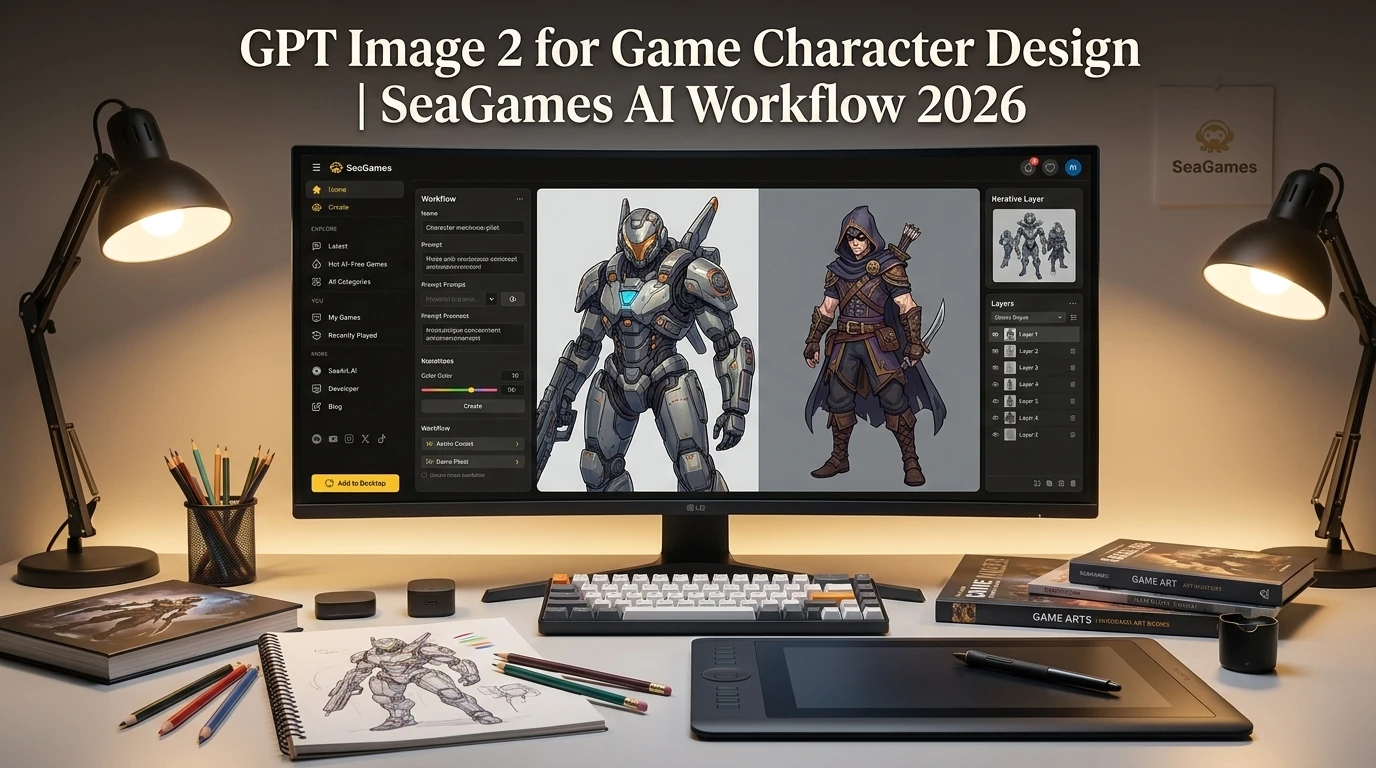
🎨 GPT Image 2 for Game Characters: SeaGames Creator Workflow
GPT Image 2 arrived in 2026 with sharper detail control, better consistency across variations, and faster iteration—exactly what game creators on SeaGames need when building character-driven experiences. Whether you're shipping a narrative adventure, a roguelike with dozens of enemy types, or a cozy sim with expressive NPCs, the new model changes how quickly you can go from concept to playable sprite sheet.
This guide shows SeaGames creators how to use GPT Image 2 for character design: generating base sprites, expression variants, UI portraits, style locking across a cast, and exporting browser-ready assets that load fast and look cohesive in your HTML5 build.
Why GPT Image 2 matters for SeaGames. Faster character iteration means you can test personality and readability in actual gameplay before committing to final art. Generate boldly, curate ruthlessly, then ship small slices for browser playtests.
📋 What GPT Image 2 brings to game art
🎯 Improved consistency. Generate a character once, then request expression variants or pose changes while maintaining the same face structure, outfit details, and color palette—critical for sprite sheets and dialogue portraits.
⚡ Faster turnaround. What used to take multiple re-rolls now lands closer to target on first generation, letting you spend creative time on direction instead of prompt archaeology.
🎮 Game-ready framing. Better understanding of sprite requirements: transparent backgrounds, centered subjects, consistent lighting, and detail levels that read at small UI scales.
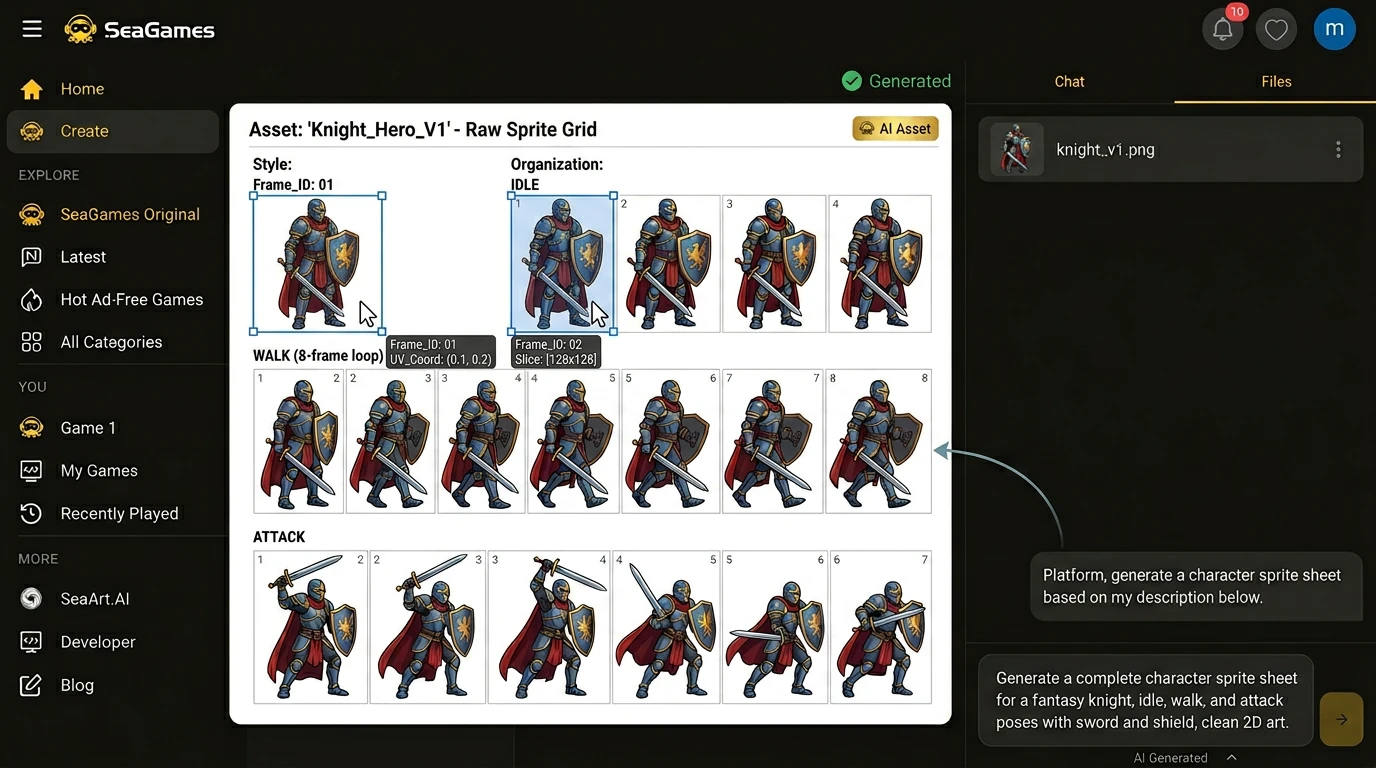
🎭 Character asset types for games
📌 Sprite sheets. The core locomotion and action frames: idle, walk, run, jump, attack, hit reaction, death. For side-scrollers and top-down games, you need 4–8 directions; for narrative games, often just front-facing or three-quarter view.
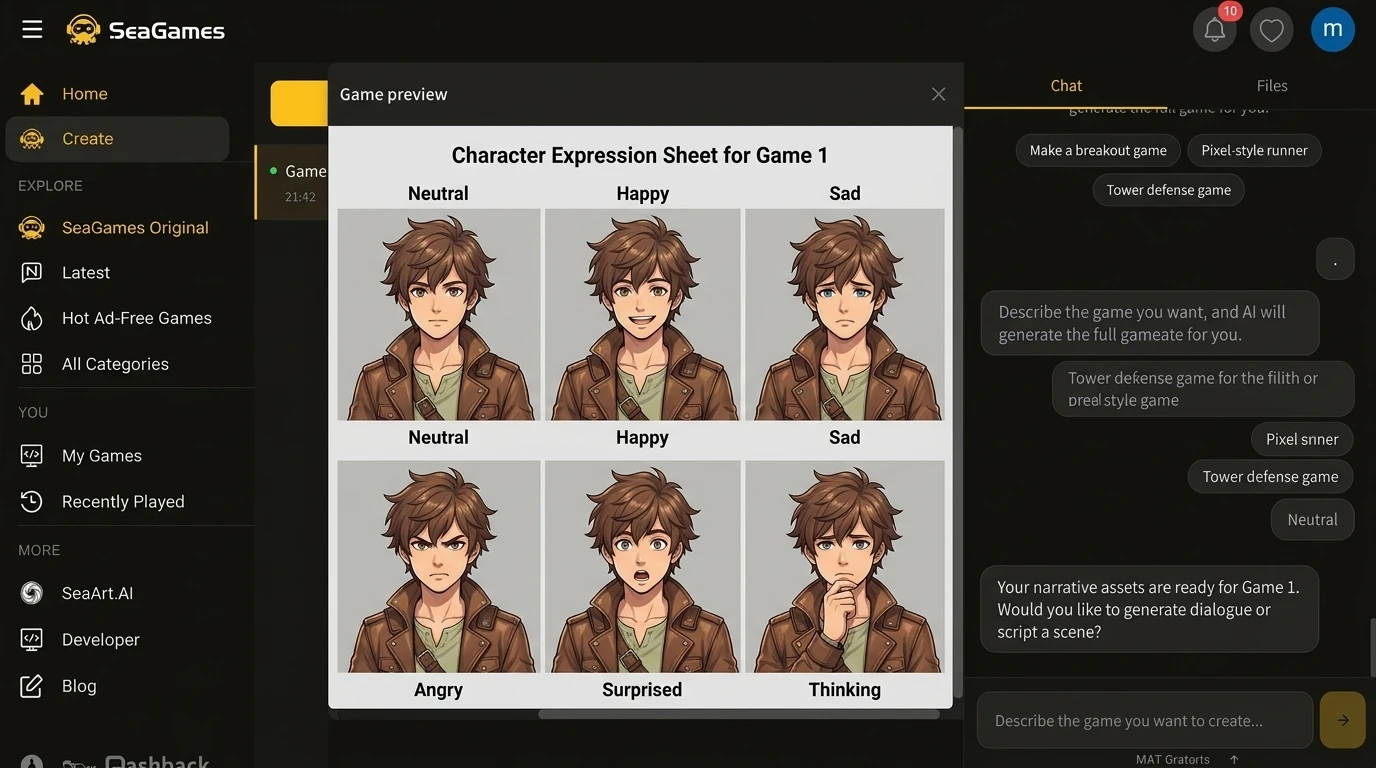
💬 Expression portraits. Dialogue-heavy games live or die on readable emotion. A base neutral face plus happy, sad, angry, surprised, and worried covers most branching narrative beats.
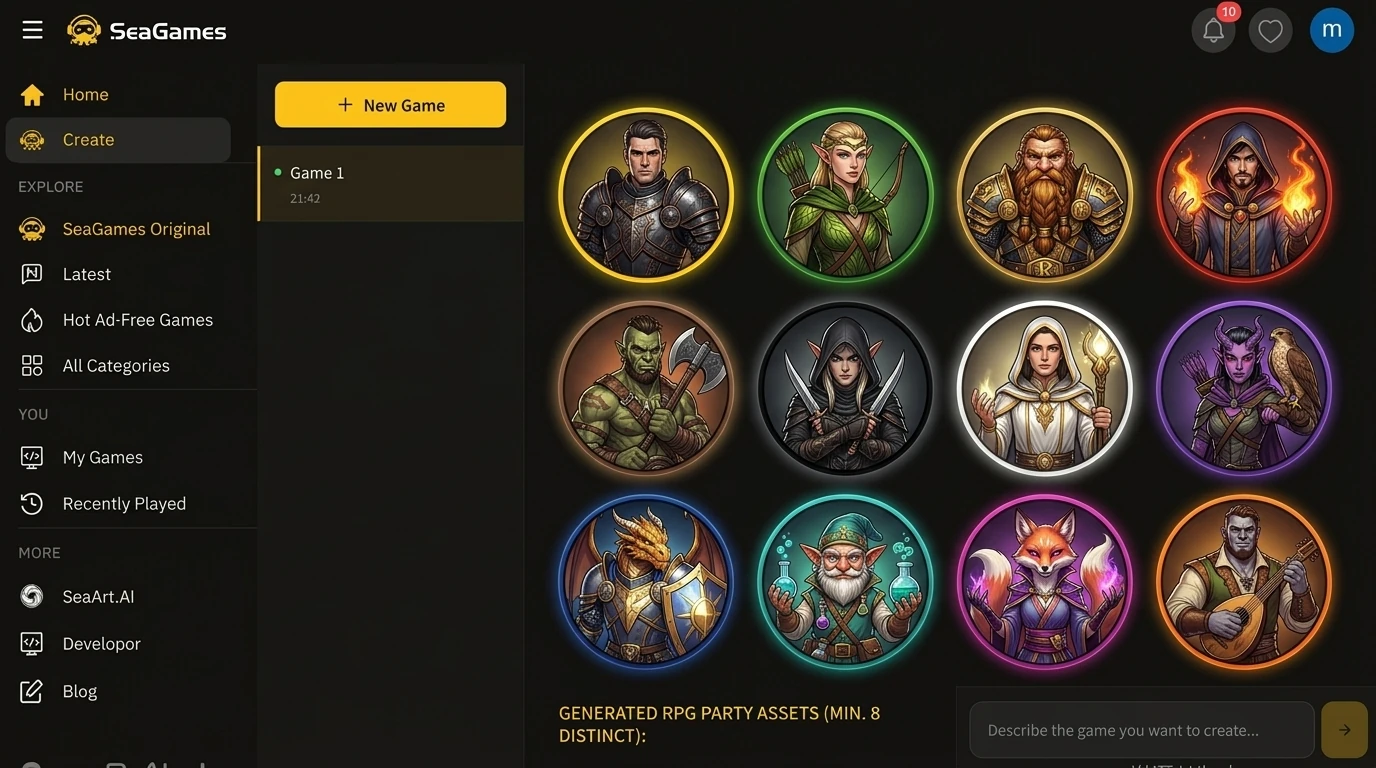
🖼️ UI portraits and icons. Party screens, inventory slots, quest logs—anywhere a character needs visual shorthand at 64×64 or 128×128 pixels.
🎨 Concept and key art. Marketing thumbnails, Steam capsules, social posts. These need higher resolution and more cinematic framing than in-game sprites.
🛠️ GPT Image 2 workflow for SeaGames creators
Step 1: Define your cast and style anchor. List main characters, NPCs, and enemy types. Pick 3–5 style keywords that will appear in every prompt: "hand-painted fantasy," "pixel art 32-bit," "clean anime portraits," "low-poly 3D render."
Step 2: Generate base character designs. Start with neutral standing poses. Include outfit details, color palette notes, and any signature props. Request transparent or solid-color backgrounds for easy extraction.
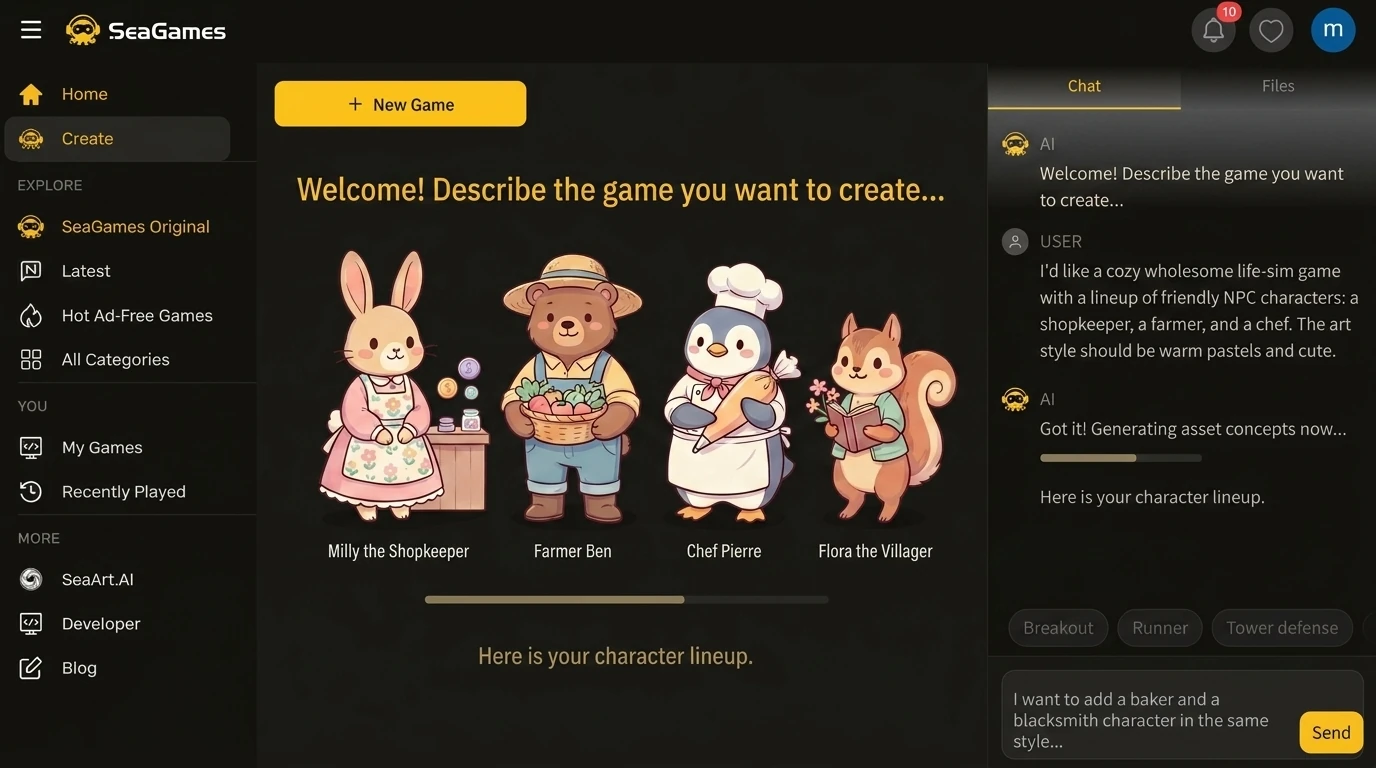
Step 3: Create expression and pose variants. Reference the base design in follow-up prompts: "same character, now smiling," "same outfit, attacking pose," "same face, worried expression." GPT Image 2's consistency improvements make this dramatically more reliable than earlier models.
Step 4: Test in-game scale. Import sprites into your SeaGames browser build at actual play size. What looks detailed at 1024px may turn into mush at 64px. Reject designs that don't read clearly when small.
Step 5: Batch and organize. Generate all variants for one character in a single session while style context is fresh. Name files systematically: hero_idle.png, hero_walk.png, hero_attack.png.
Step 6: Post-process for web. Crop to consistent dimensions, optimize file size (use PNG for sprites with transparency, WebP for portraits where supported), and test load times in the browser.
🎯 Prompt strategies for game characters
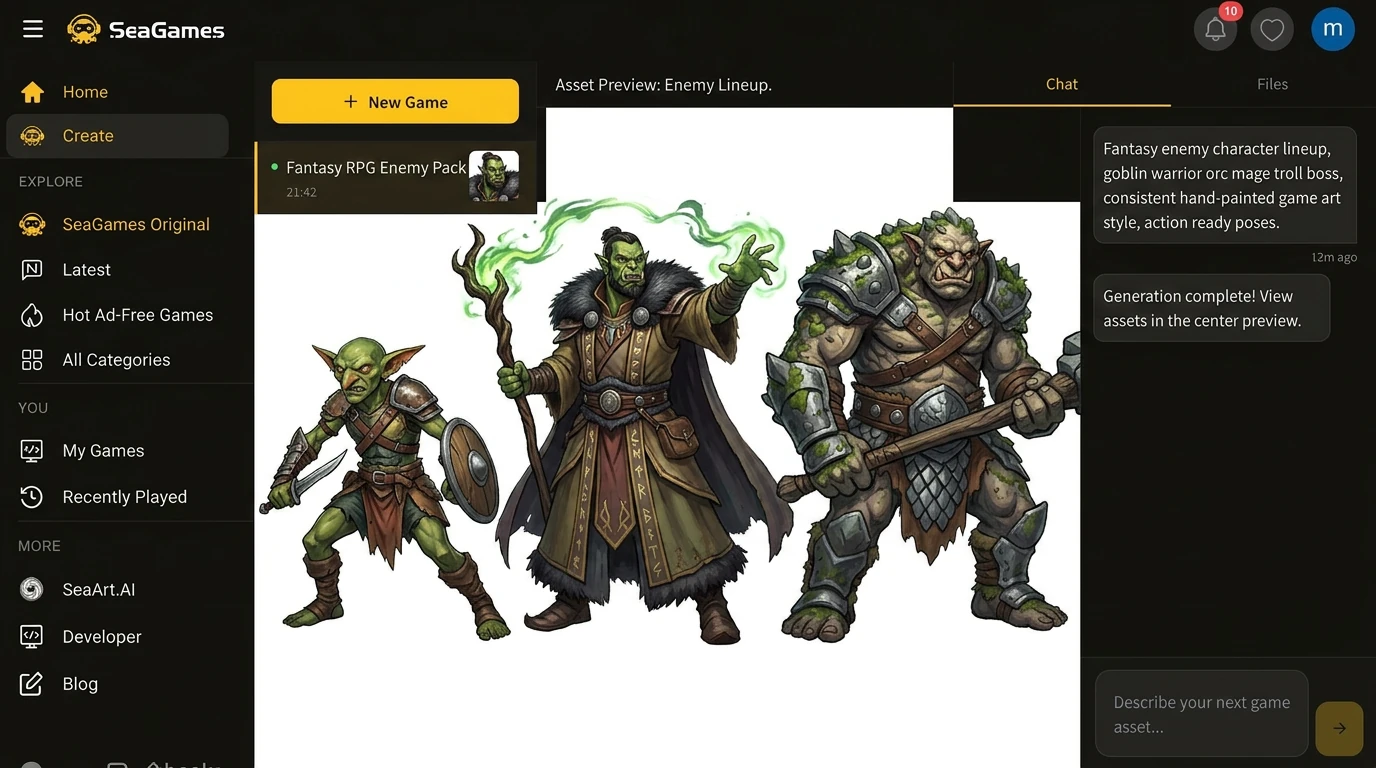
🔒 Style lock template. Create a reusable prompt tail: "2D game character art, clean lines, vibrant colors, slight cel shading, transparent background." Prepend character-specific details while keeping the tail identical across your cast.
📐 Framing consistency. Specify camera distance and angle: "full body front view," "waist-up three-quarter view," "head and shoulders portrait." Mixed framing across a cast reads as temp art.
🎨 Palette discipline. Name specific colors or color families: "warm earth tones," "cool blues and purples," "high-contrast red and black." Vague terms like "colorful" produce random results.
🚫 Negative prompts. Explicitly exclude what breaks game readability: "no photo-realistic textures," "no busy backgrounds," "no text or logos," "no blurry edges."
🔄 Iteration pattern. Generate 4–6 candidates for each character role. Pick the strongest, then create all variants (expressions, poses, angles) from that winner before moving to the next character.
🎮 Genre-specific character needs
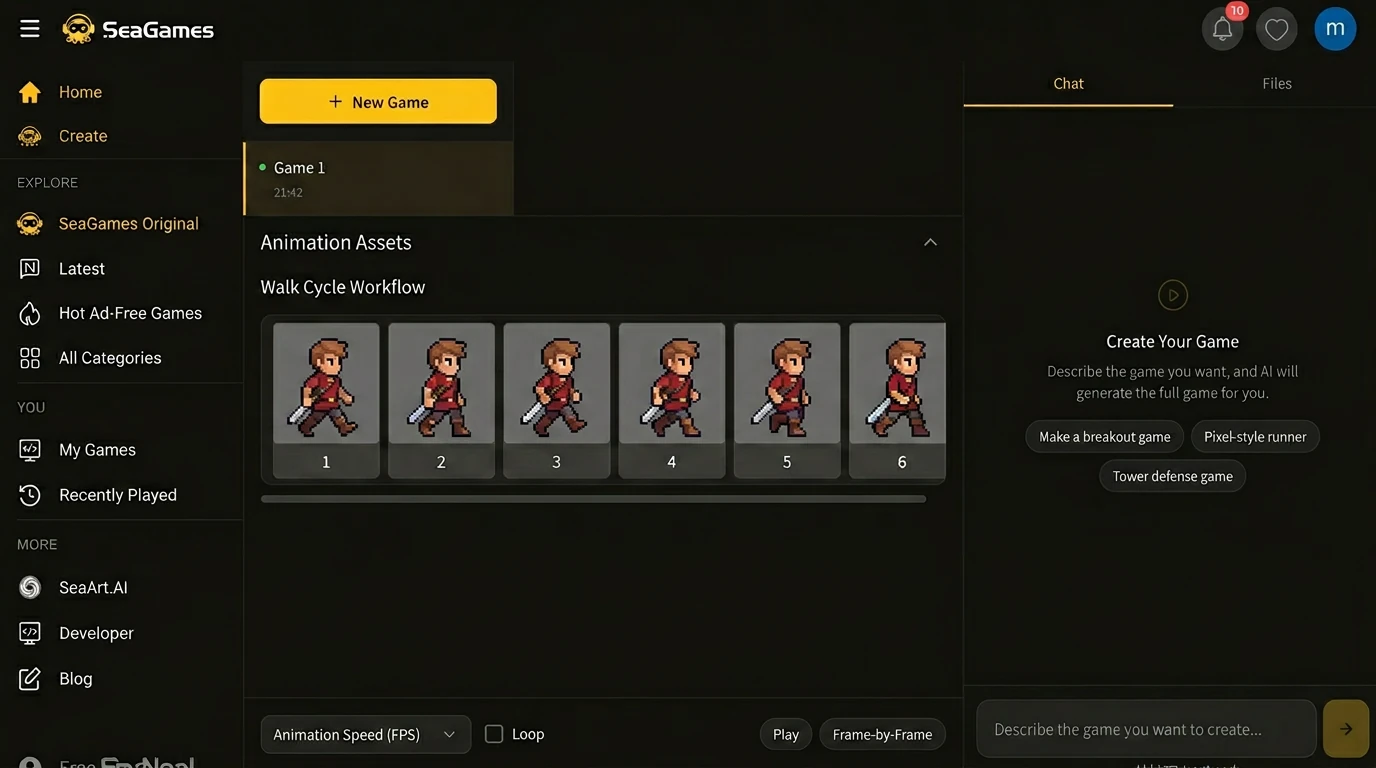
🗡️ Action and platformers — Clear silhouettes, readable at speed, distinct hit and attack poses, 4–8 directional sprites.
💬 Narrative and visual novels — Expression range, consistent face structure, portrait crops that work with text boxes.
🎲 RPG and strategy — Class/role visual clarity, party screen icons, status effect overlays.
🏠 Cozy and sim — Approachable designs, seasonal outfit variants, emotive idle animations.
👾 Roguelike and arcade — High enemy variety, fast visual reads, modular parts for procedural mixing.
⚙️ Technical specs for browser games
📏 Resolution: Author sprites at 2× or 4× target size for crisp downscaling. Common in-game sizes: 32×32, 64×64, 128×128 for sprites; 256×256 or 512×512 for portraits.
🗂️ File format: PNG with transparency for sprites and UI elements. WebP for portraits where browser support allows. Avoid JPEG for characters—compression artifacts ruin edges.
🎨 Color depth: 8-bit RGBA is standard. Indexed color for retro pixel art can save bytes but complicates alpha blending.
📦 Sprite sheets vs individual files: For animation-heavy games, pack frames into atlas sheets to reduce HTTP requests. For narrative games with static portraits, individual files are easier to manage.
⚡ Load performance: Target under 100KB per character for mobile browsers. Use lazy loading for large casts. Test on actual devices, not just desktop Chrome.
🌐 SeaGames integration: from prompt to playable
SeaGames is built for fast iteration loops: generate character art with GPT Image 2, drop assets into your project, preview in the browser, gather feedback, and refine. The platform's AI-first workflow means you're not wrestling with engine APIs—you're making creative decisions and seeing results immediately.
Typical creator loop: 1) Generate base character designs → 2) Import into SeaGames project → 3) Test readability at game scale → 4) Request expression/pose variants → 5) Publish playable slice → 6) Watch where players engage or bounce → 7) Iterate based on real behavior.
This is the same loop you want for mechanics and narrative—shorten the distance between "we changed the art" and "someone played it."
⚠️ Common pitfalls and solutions
🎭 Inconsistent faces across expressions.
Generate all expressions in one session. Reference the base design explicitly: "same character as previous, now smiling." Save the base prompt as a template.
👕 Outfit details drift.
List specific clothing elements in every prompt: "red jacket with gold buttons, blue scarf, brown boots." Vague descriptions produce random variations.
📐 Scale and proportion mismatches.
Specify exact framing: "full body, feet to head visible," "waist-up portrait." Test all characters side-by-side at game resolution before generating full variant sets.
🎨 Style drift across cast.
Use identical style keywords for every character. Run a visual audit after every 5–10 designs. Reject outliers early before you build dependencies.
📱 Unreadable at small sizes.
Simplify details for sprites under 128px. Test on actual mobile devices, not just scaled-down desktop previews. High-contrast edges and bold shapes read better than fine textures.
💡 Advanced techniques
🔄 Modular character systems. For games with customization (dress-up, class changes), generate body bases and separate outfit/accessory layers. Composite in-engine for mix-and-match variety.
🌈 Palette swaps for variants. Generate one detailed design, then request color variations: "same character, now in blue armor," "same design, forest green palette." Faster than redesigning from scratch.
🎬 Cinematic vs gameplay art. Use higher detail and dramatic lighting for cutscenes and marketing. Keep gameplay sprites simpler for performance and readability. Don't try to make one asset serve both needs.
📚 Prompt library. Maintain a spreadsheet: character name, base prompt, style keywords, successful variants. When you need to extend the cast months later, you can match the original style.
❓ FAQ
❔ Can GPT Image 2 generate pixel art characters?
Yes. Specify "pixel art," target resolution (e.g., "32×32 sprite"), and color palette constraints. Results work best for larger sprites (64px+); tiny 16px characters may need manual cleanup.
❔ How do I keep expressions consistent?
Generate all expressions in one session. Reference the base design explicitly in each prompt. GPT Image 2's improved consistency makes this much more reliable than earlier models.
❔ What resolution should I generate at?
Author at 2–4× your target in-game size. For 64px sprites, generate at 256px and downscale. For 512px portraits, generate at 1024px or higher.
❔ Can I use GPT Image 2 art commercially?
Check OpenAI's current terms. As of April 2026, commercial use is generally allowed for paid subscribers, but verify licensing before release.
❔ How many characters can I generate for one game?
No hard limit, but maintain style discipline. After 20–30 characters, run a visual audit to catch drift. Reject outliers before they become the new baseline.
❔ Should I generate animations frame-by-frame?
For simple cycles (walk, idle), yes—request each frame with consistent character details. For complex animations, consider generating key poses and using traditional tweening or sprite tools.
❔ How do I handle character customization systems?
Generate modular layers: base body, hairstyles, outfits, accessories. Composite in-engine. Test that all combinations read clearly at game scale.
❔ What if generated characters look too AI-like?
Add style constraints: "hand-drawn," "traditional painting," "concept art sketch." Avoid generic prompts. Reference specific art movements or game titles (without copying identifiable styles).
✅ Closing
GPT Image 2 doesn't remove the need for art direction—it accelerates the loop between concept and playable character. On SeaGames, that means you can test personality, readability, and player connection in actual gameplay before committing to final polish.
Generate boldly, curate ruthlessly, test in the browser at real scale, and let player behavior—not just visual beauty—guide which characters earn their place in your cast.