

Sfondi di scena per giochi narrativi creati dall'IA (Guida per i creatori di SeaGames)
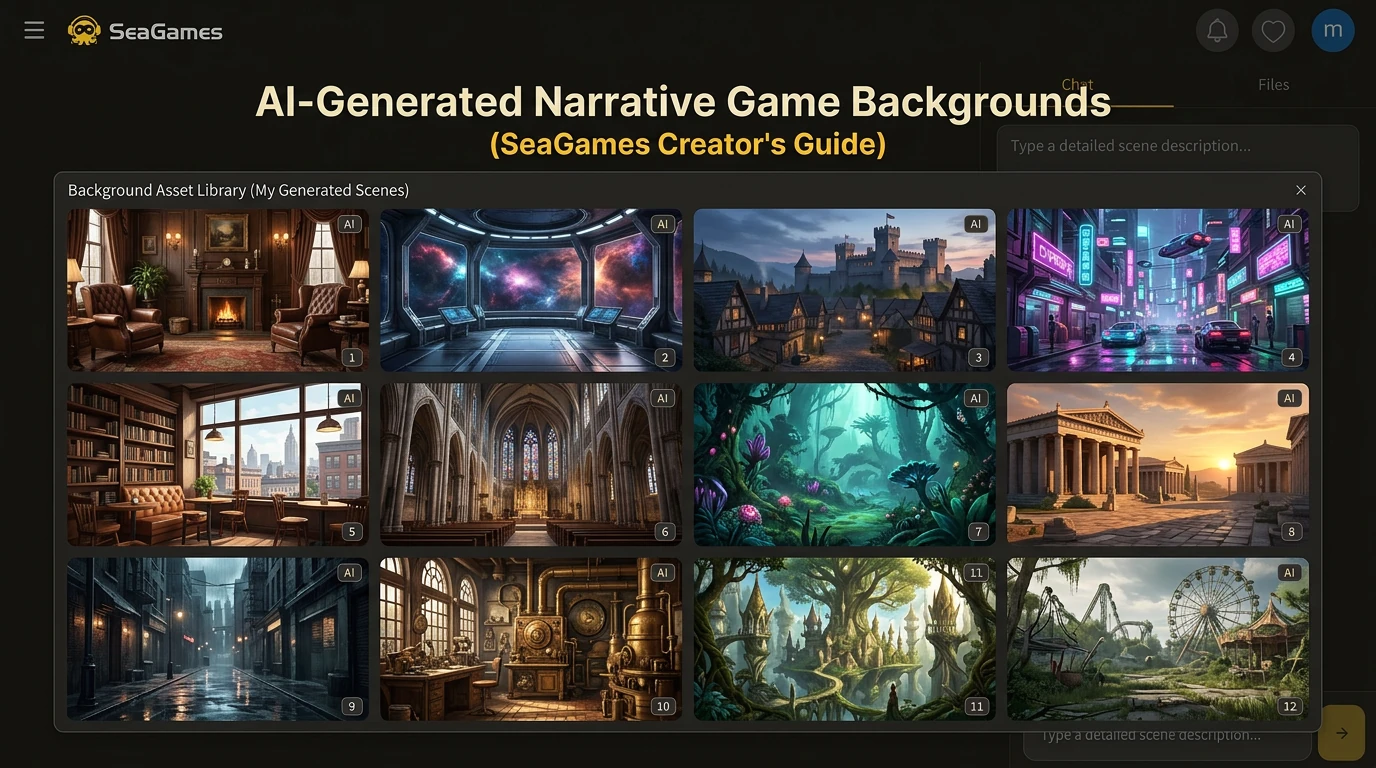
SeaGames is built around AI-assisted game creation and instant browser play: you can spin up mechanics, UI, and branching narrative quickly—but dialogue-heavy experiences still drown in one quiet cost: full-screen scene backgrounds. Those games live or die on clarity of place; the plate behind your cast must read in a glance without fighting text boxes, sprites, or tap targets.
This guide is for SeaGames creators (and anyone on a similar AI-first pipeline) who need a repeatable way to produce the same sprite-stack scene plates engines use for branching dialogue: what the asset is, when stock vs paint vs generator wins, how to lock style across dozens of scenes, and how to export so your HTML5 / browser build stays sharp on phones. Ren'Py or Unity notes appear only where teams still route art through a desktop toolchain—your shipping surface on SeaGames remains the tab, so compression and UI proof stay non-negotiable.
Why this lives on SeaGames. Fast AI iteration for gameplay does not remove the need for curated environment art. Treat backgrounds as the stable stage your conversational build can iterate in front of—generate boldly, gate ruthlessly, then ship small narrative slices for real browser playtests.
📋 Quick summary
Traditional pipelines force a trade: buy stock (fast but generic), commission art (beautiful but slow), or paint in-house (full control but expensive in time). On an AI game platform, that trade collides with another truth: your script and branching may change weekly, so you need cheap reshoots of place, not one hero painting you are afraid to revise. AI generation, when governed by style locks and QC, buys exactly that—custom locations per iteration, faster day-and-night passes, and alignment between writer and art before you ask strangers to play in the browser.
📊 Key facts at a glance
📌 Definition. A narrative scene background (often called a scene plate or bg plate) is a static or lightly animated full-screen image that establishes location and atmosphere. It sits behind character sprites and under dialogue or choice UI—the same layer stack many branching dialogue games use, regardless of how you tag the game on a store page.
🔀 Three creation paths. Teams buy stock, commission or paint by hand, or generate with AI and then quality-check. Each path trades money, calendar time, creative control, and style consistency differently.
| Approach | Typical time | Cost shape | Customization |
|---|---|---|---|
| 🛒 Stock / packs | Short search; fit may take longer | Per pack or per asset; varies by marketplace | Limited to catalog; cross-pack style drift |
| 🖌️ Manual art | Many hours per finished hero shot | Often highest per bg when outsourced | Full control; best continuity with one artist |
| 🤖 AI plus human QC | Fast per iteration; QC adds human time | Subscription or credits; usually below bespoke per bg at volume | High if prompts lock style; needs curation |
🤖 Why teams adopt AI here. Not because it removes art direction—especially on SeaGames, where the headline is shipping playable ideas—but because narrative games routinely need large location sets, repeated lighting variants, and fast look-dev while dialogue and choices are still moving. Generators explore; humans still own continuity, legality, and the final “yes” before pixels meet players.
🖼️ What makes a background work in-engine
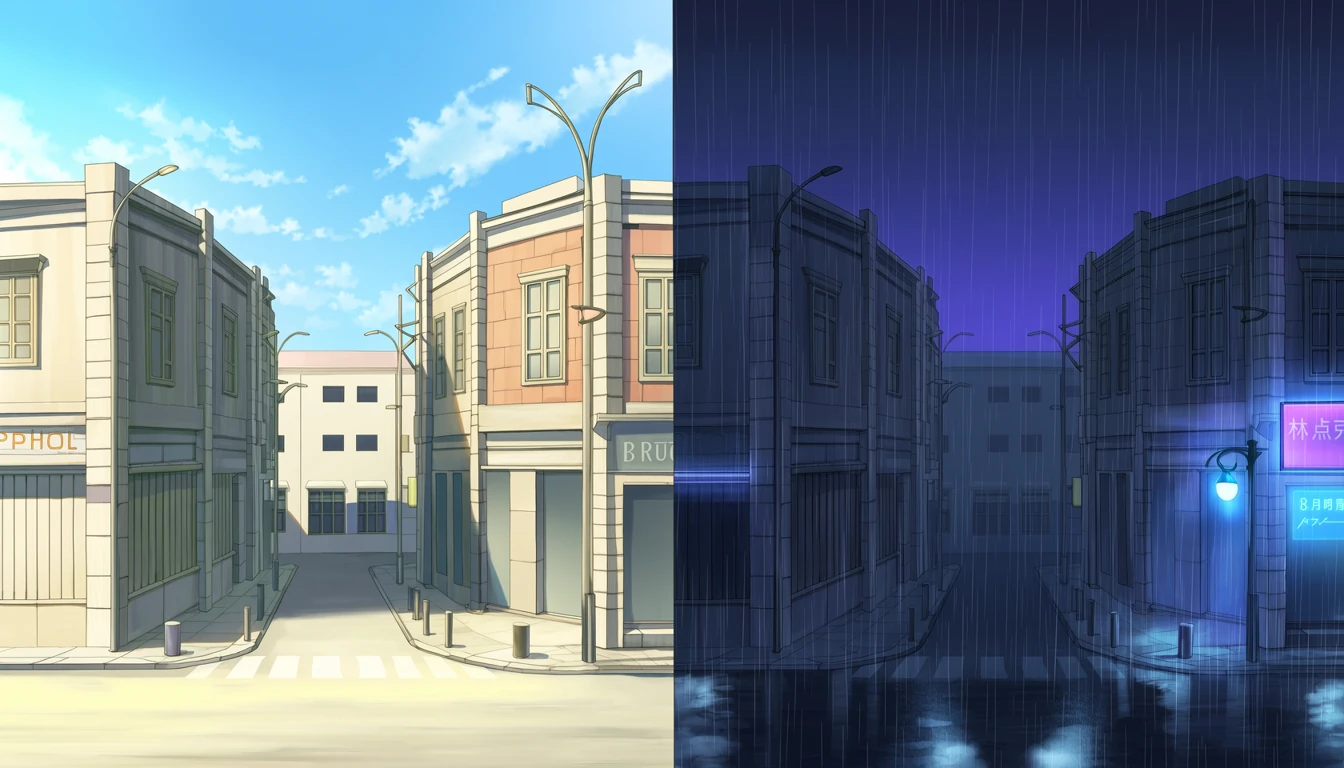
🌤️ Atmospheric consistency. Lighting, weather, and palette should match the story beat. Revisiting the same map at different hours is a classic dialogue-game technique; players subconsciously track those shifts.
🧍 Sprite framing. Horizontal compositions usually reserve center-left and center-right for standing figures. Keep those bands slightly calmer. Push poles, door splits, and high-contrast edges out of the dead-center vertical.
🔍 Detail versus readability. Rich walls and ceilings sell place; a noisy midground fights faces and text. Grade or blur depth if you must preserve a busy location.
🎭 Style match to sprites. Cel outlines on characters want comparable edge language in environments, or a deliberate grade that bridges the gap. Mismatched passes read as temp art.
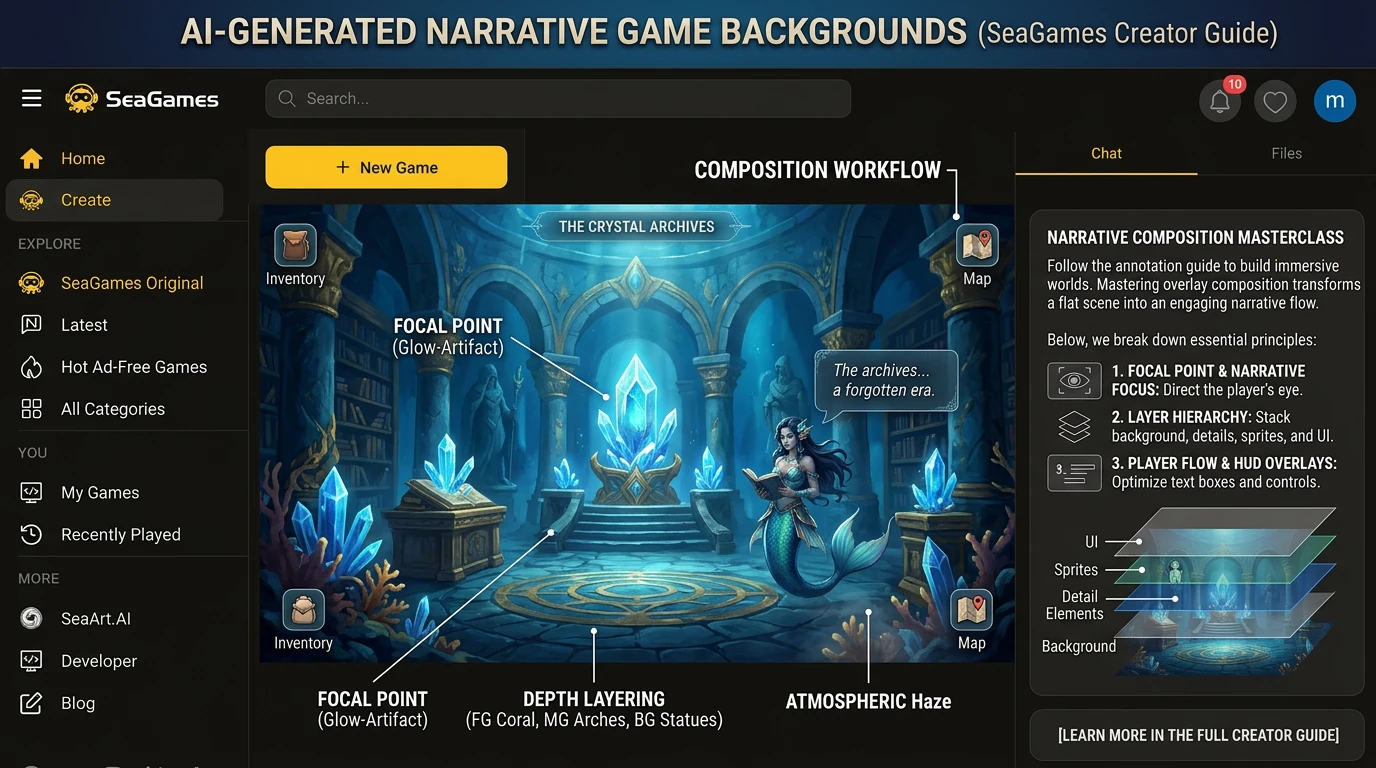
🛤️ Three sourcing strategies in depth
🛒 Stock and marketplace packs suit prototypes and jams. The hidden cost is curation: finding twenty plates that feel like one world is harder than buying twenty random JPEGs. Check licenses for commercial narrative-game use, redistribution, and modification.
🖌️ Commissioned or in-house painting suits key establishing shots, weird cameras, or locations that must match a precise script beat. Budget time for feedback rounds; backgrounds are not faster just because they have no characters.
⚡ AI-assisted pipelines mirror how SeaGames-style creation already feels: describe the scene and mood in language, generate several candidates, pick one, then vary only lighting or weather. Failure mode is uncontrolled drift—solve with locked style paragraphs and a human gate before assets enter the folder your browser build actually loads.
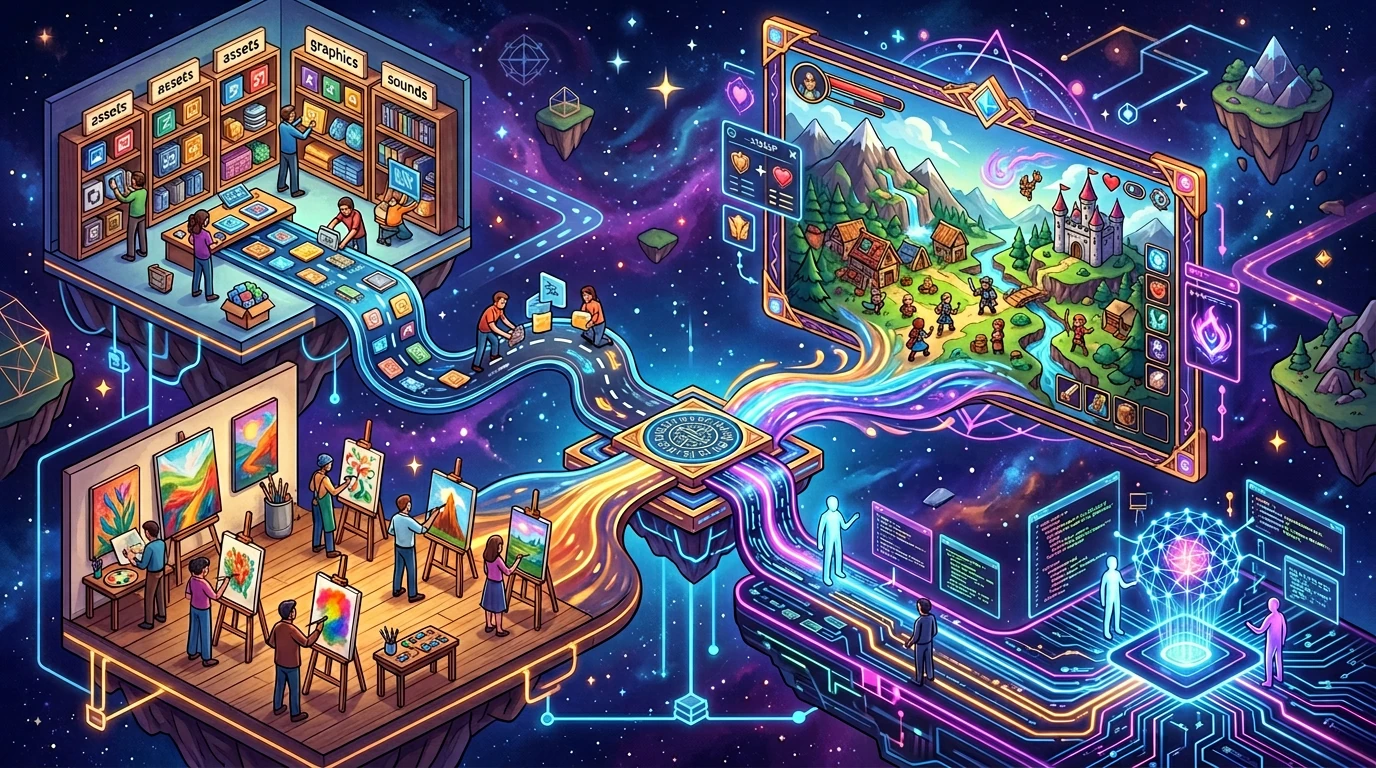
📍 Location categories to plan (with variants)
List locations from your outline, then mark which need time-of-day or weather passes. A practical minimum for slice-of-life: home (day or night), school cluster (class, hall, roof), one social hub (cafe or arcade), one outdoor (street or park). Romance and fantasy projects extend the list but the planning method stays the same.
🏫 School and daily life — classroom, hallway, cafeteria, rooftop, club room, library, gates.
💕 Romance and choice-driven social hubs — cafe, park, beach, restaurant interior, cinema lobby, quiet residential street.
🏠 Home interiors — bedroom, living room, kitchen, entryway, culturally specific rooms as needed.
🌆 Urban — skyline beat, train platform, shopping arcade, convenience store, alley at rain.
🧙 Fantasy and sci-fi — throne room, dungeon, forest, lab, corridor on a ship or station.
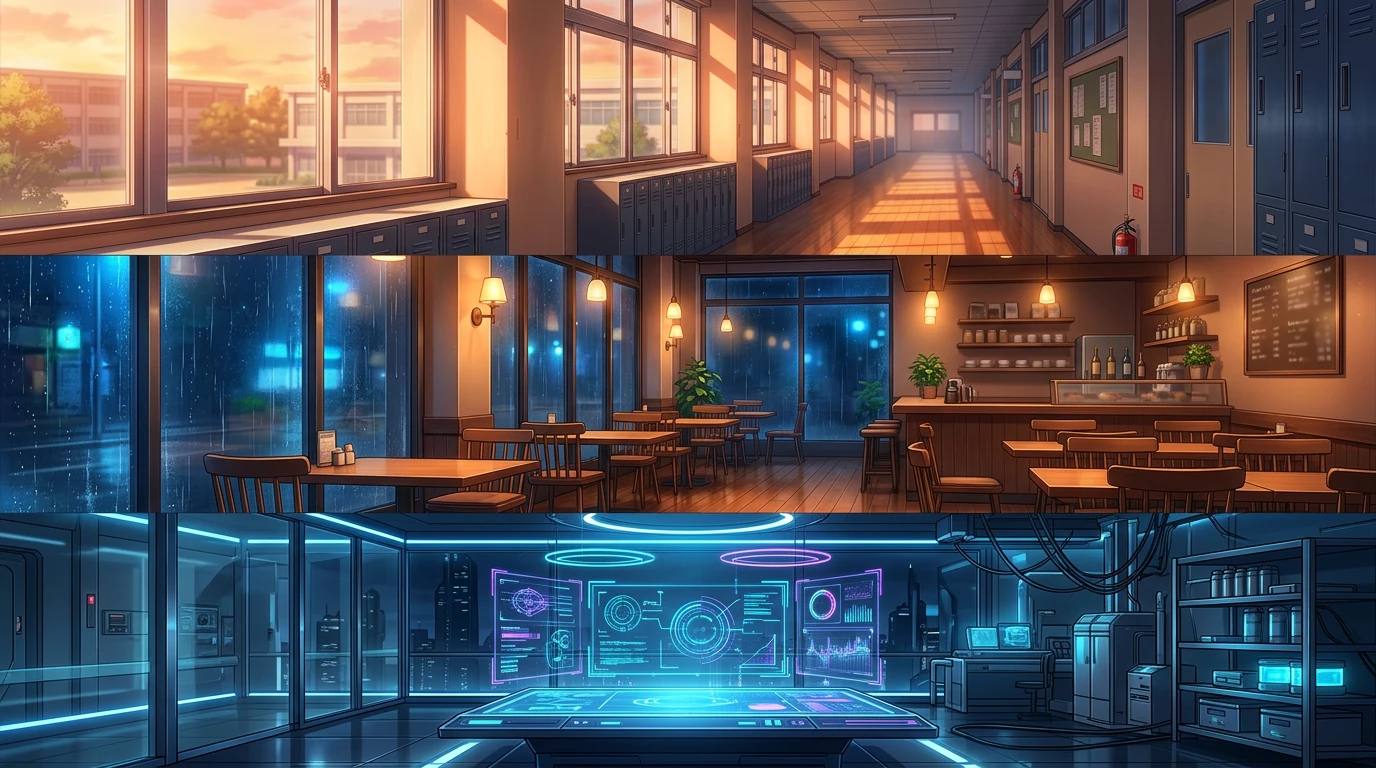
💡 Practical tips for AI-generated scene backgrounds
1️⃣ Style lock. Append the same style clause to every prompt: for example soft cel-shaded anime environment, watercolor storybook, or semi-realistic oil. Changing only location and lighting while style stays frozen prevents one-off masterpieces that break the set.
2️⃣ Time-of-day as a delta. Duplicate a winning prompt and edit only the lighting sentence: bright morning, overcast afternoon, golden hour, blue night with practical lamps. Geometry vocabulary should stay verbatim so the room reads as a return visit.
3️⃣ Clean plates. Unless you script crowd scenes, default to no people, no silhouettes, empty scene. Crowds complicate sprite contrast and layering.
4️⃣ Perspective rules. Pick default eye height for the project. Mixed vanishing points across ordinary locations feel unintentional.
5️⃣ Palette per act. Tie two or three dominant colors to each narrative act and repeat them in prompts so grading stays coherent when players jump between scenes.
6️⃣ Test under real UI. Import early into the actual SeaGames browser build (or your HTML5 reader shell) with placeholder sprites and final-ish text box opacity; Ren'Py or Unity remain optional if you author there first. Standalone beauty is not playable beauty.
7️⃣ Batch discipline. When you settle a hero look, generate the rest of a chapter in one session while the style context is still fresh. Log prompts next to filenames in a sheet so you can rebuild or extend the set later.
📐 Formats, resolution, color, and naming
📏 Resolution: 1920 by 1080 is the common minimum for HD sprite-stack dialogue games. Author at higher resolution if you pan, zoom, or need marketing crops; downscale in engine for performance.
📺 Aspect: 16:9 is standard on PC; 16:10 appears in some laptop-first titles. Commit to one ratio for the project.
🗂️ PNG vs JPG: PNG preserves gradients and edges; JPG saves disk. Many teams keep lossless masters and export compressed derivatives for web builds. Typical shipped PNGs often land roughly between one and five megabytes per scene at 1080p depending on detail; JPGs can sit in the low hundreds of kilobytes when artifacting is acceptable.
🎨 Color space: sRGB unless you have a full ICC-aware pipeline.
🏷️ Naming: Use predictable patterns such as act02_rooftop_sunset.png. Pair files with prompt logs or version tags when multiple revisions exist.
🌐 SeaGames: browser playtests and AI narrative loops
SeaGames is not “a stock art blog”—it is an AI game creation and play surface where builds are expected to open fast in the browser. That does not change how you author backgrounds, but it does change what “done” means: aggressive compression, readable dialogue chrome on small screens, and proofing every plate under your real in-game UI—not only in a preview window.
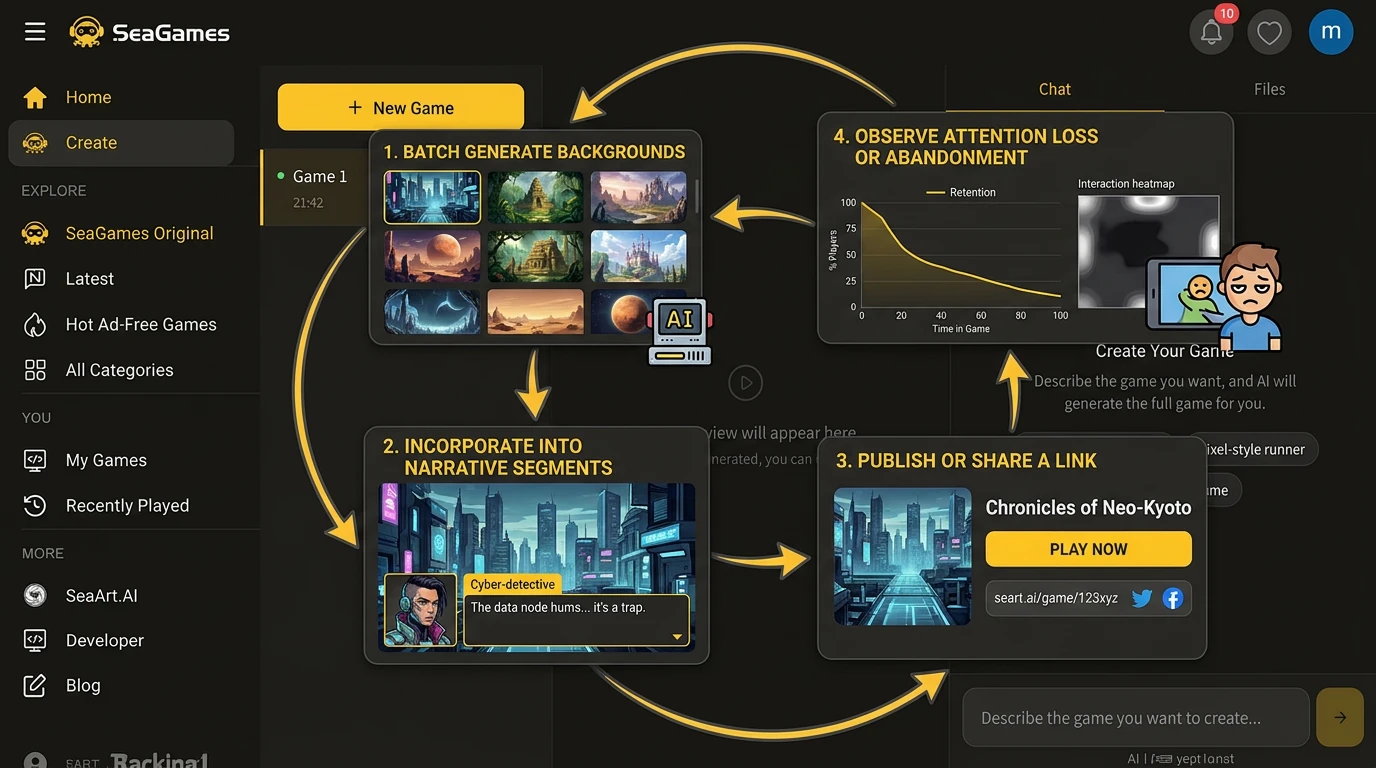
Use the same loop you already want for mechanics: generate backgrounds in batches → drop them into your narrative slice → publish or share a link → watch where players squint or bail. Discovery beside other instant titles is a bonus; the core win is shortening the distance between “we changed a scene” and “someone played it,” which is exactly how AI-first teams stay honest about pacing and readability.
🧭 End-to-end workflow you can copy
1) Export a location list from your SeaGames narrative outline or script. 2) Write a one-page style manifesto. 3) Draft a prompt template with fixed style tail and swappable location and lighting fields. 4) For each critical set, generate multiple candidates; reject anything that fails sprite test. 5) Produce time and weather variants by delta prompts only. 6) Organize exports in versioned folders; store prompt text alongside assets. 7) Run a weekly style audit before scaling past a few dozen scenes. 8) On wrap, archive masters and compressed web derivatives separately.
✨ Post-processing and polish
Generators rarely deliver final UI-ready signage, exact brand colors, or perfect edge masking for parallax layers. Plan a light post pass: global grade to match sprites, paint fixes on stray artifacts, separate foreground props if your engine supports multi-layer scenes, and typography or logos as engine overlays rather than baked gibberish into pixels. Keeping text out of the raster also helps localization—you swap strings without re-rendering art.
⚠️ Common challenges and fixes
🪧 Illegible signage and logos.
Generate clean architecture; add fictional signs in-engine or in post where you control copy and translation.
👻 Sprites float.
Align outline language; add subtle shadow or ambient occlusion in the renderer.
🌊 Large set, drifting style.
Stop ad-hoc prompts; return to the manifesto. Reject outliers early.
📱 Mobile readability.
Reduce midground noise; verify dialogue box contrast on hardware, not only on a calibrated monitor.
💬 Why AI fits branching narrative games in particular
The format scales asset count with story length and route count. A modest dialogue-forward game on SeaGames can still demand dozens of plates once branches and time-of-day variants count. That volume pairs naturally with AI-assisted production: you can afford to try three lighting ideas instead of marrying the first sketch. It does not remove the need for a creative director who says no—especially before a public upload represents your world.
⚖️ Licensing and commercial use
Commercial rights depend on the generator, plan, and jurisdiction. Read terms before crowdfunding or selling. When mixing human paintover with AI bases, keep layers for provenance. This article is not legal advice; treat compliance as part of production.
❓ FAQ
❔ Is this article only for Ren'Py teams?
No. Ren'Py appears because many narrative devs still know it; on SeaGames the priority is the browser slice players click. Use whichever tool outputs the PNG/JPG your HTML5 build loads—then validate under SeaGames UI and compression.
❔ Can AI follow a specific anime look?
You can approximate broad schools. Avoid cloning identifiable third-party styles; build original direction with references you have rights to use.
❔ How do I keep backgrounds consistent?
Shared style tail on prompts, fixed seeds where tools allow, and a human pass that rejects off-palette frames.
❔ Recommended master resolution?
1920 by 1080 minimum; higher if you zoom or reuse art in marketing.
❔ Commercial use of AI backgrounds?
Depends on platform license. Verify before release; some plans require attribution or cap commercial use.
❔ Day and night of one room?
Duplicate prompt; change lighting and weather only; keep furniture and layout verbs identical.
❔ Mobile narrative builds?
Author at HD; let engine scale. Favor calmer centers for small screens.
❔ Does AI replace background artists?
It replaces neither art direction nor flagship polish. It often replaces slow manual exploration for volume and variants.
❔ How do I import backgrounds into Ren'Py?
Place images under your game images folder, declare scenes with scene or show statements, and use consistent file names. Test transforms and persistent sprite positions on top of each new bg before you script long dialogue blocks.
❔ Should I generate wider than 16:9 for camera motion?
If your direction calls for pans or subtle parallax, author a wider master or separate layers. Otherwise, generating exactly to target aspect reduces wasted pixels and cropping guesswork.
✅ Closing
Narrative scene backgrounds reward boring consistency more than one-off hero frames. Pick a sourcing strategy that matches your SeaGames milestone, lock style like you mean it, variant with discipline, and prove every plate under the same UI players will see in the tab. The question stays the same whether you also keep a Ren'Py archive on the side: does this room read in one glance, and can we stay in it through the next long dialogue stretch?
Ship small narrative slices early on SeaGames, let browser playtests drive what deserves more art spend, and only then scale the city—your AI loop for design should not outrun your loop for places players actually stay in.